Menu logo

AI-Powered Advanced Excel Course

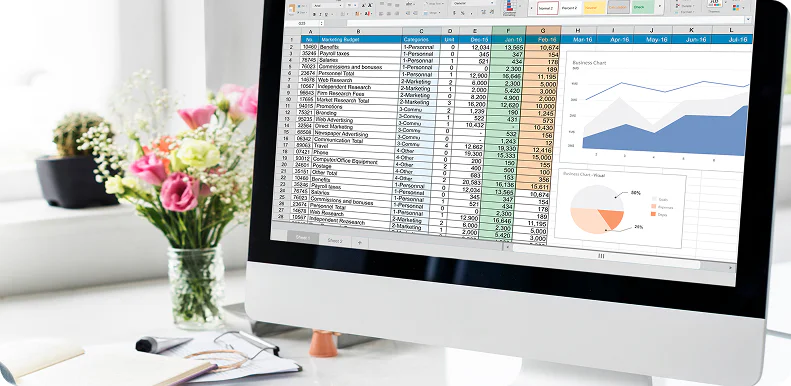
This course integrates AI tools, advanced formulas, data automation, and visualization techniques to enhance Excel proficiency. Trainees learn Power Query, Pivot Tables, macros, and AI-assisted data analysis to improve workflow efficiency. At the hands-on sessions with real business data at Cronus Consultants, learners begin mastering productivity and reporting skills. The course enables professionals to automate complex tasks, improve accuracy, make data-driven decisions, and become highly efficient in operational and analytical roles.
content img

Why upgrade your Excel skills with AI at Cronus Consultants?

The AI-powered advanced Excel course trains learners in advanced functions, automation, and AI-enabled data analysis. Cronus Consultants emphasizes real-time financial and operational datasets for learners to apply predictive insights, build dynamic models, and enhance productivity through smart Excel features in business settings.

Curriculum Overview

Download Syllabus
  • Dynamic Arrays & Functions: Mastering XLOOKUP, INDEX-MATCH , FILTER , UNIQUE , SORT, and SEQUENCE
  • Advanced Data Validation & Conditional Formatting: Creating dynamic dropdowns and formula-based formatting.
  • Data Modeling & Power Pivot: Connecting multiple data sources and creating relationships without VLOOKUP.
  • DAX Fundamentals: Using Data Analysis Expressions for calculated columns and measures.
  • ETL Techniques: Importing, cleaning, and transforming messy datasets (CSV, SQL, Web).
  • M Language Basics: Editing queries to automate repetitive data cleaning.
  • AI in Power Query: Leveraging built-in AI for data transformation logic.
  • Combining Data: Merging and appending queries for comprehensive reporting.
  • Pivot Table Mastery: Advanced grouping, calculated fields, and interactive slicers.
  • Dynamic Dashboards: Designing interactive dashboards with KPI indicators.
  • Advanced Charting: Creating specialized charts (Waterfall, Heatmaps, Gauge charts).
  • Visualization with AI: Generating insights and charts using AI suggestions.
  • Excel Copilot Integration: Using Microsoft Copilot to generate formulas, summarize data, and create visualizations.
  • ChatGPT for Excel: Writing complex formulas, troubleshooting errors, and writing VBA macros using AI prompts.
  • Predictive Analytics: Forecasting, Trend analysis, and Regression analysis using built-in AI tools.
  • VBA Basics: Introduction to Visual Basic for Applications to record and edit macros.
  • Automating Daily Tasks: Creating buttons and user forms for data entry.
  • AI-Generated VBA: Writing and debugging macros using AI.
  • Capstone Project: Building a fully automated dashboard using AI and Advanced Formulas on a real-world scenario.

Key Features

logo

Excel automation

Use AI-powered Excel features to automate repetitive tasks.

logo

Advanced data analysis

Use formulas, tools, and AI support to analyze large datasets.

logo

Smart functions usage

Leverage AI-enabled formulas for faster and more accurate computations.

logo

Interactive dashboard creation

Build a dynamic dashboard for real-time tracking and reporting.

Who can pursue this course?

BBA B.A. B.Sc (Computer Science) M.Sc (Computer Science) B.TECH M.TECH Commerce MBA

BASIC

₹ 3,000 /one-time

Duration: 6 weeks

Enroll Now Talk to Advisor
  • Industry-Focused Training
  • Career-Oriented Curriculum
  • Expert Mentor Guidance
  • Certification on Completion

Certification & career support

icon

Skill certification

Earn a certificate and validate the practical skills you have learned.

icon

Professional edge

Add your earned certification to your resume and stand out to employers.

icon

Career advancement

Show your certification that highlights your skills, achievements, and job-readiness.

img
img

Talk to Industry Experts

Discuss your goals with industry professionals and get clear career direction.

    Fill all the necessary filed *


    talkto_experts img